Set your rules,
Coachly does the rest.
Welcoming a new client, the weekly check-in, a nudge when sessions run low: you set up the flow once, Coachly runs it for every client.
21 days to try everything, unlimited clients, no credit card.
Demo: the coach starts from the “Weekly check-in” template, opens it in the builder and drags in a notification; the preview shows the message Léa receives.
Demo: the coach starts from the “Weekly check-in” template, opens it in the builder and drags in a notification; the preview shows the message Léa receives.


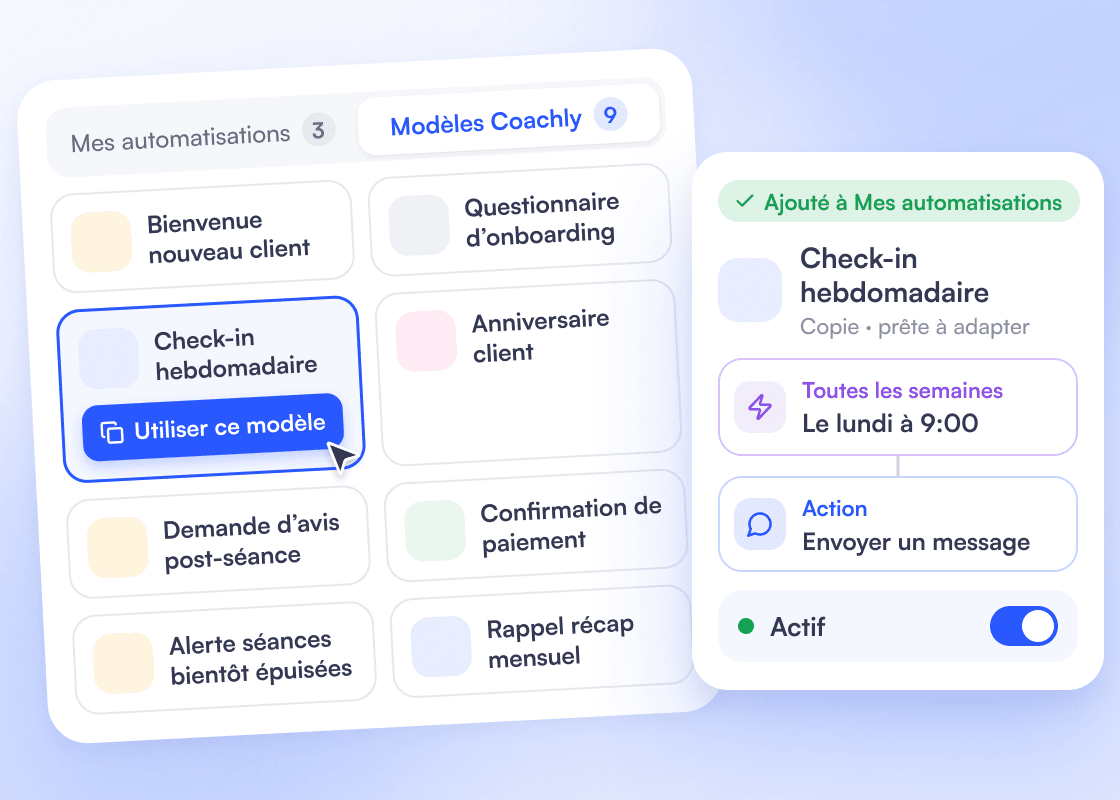
9 ready-made templates
Welcoming a new client, onboarding questionnaire, birthday, review request after a session, payment confirmation, Monday check-in: start from a template, adapt it, turn it on.
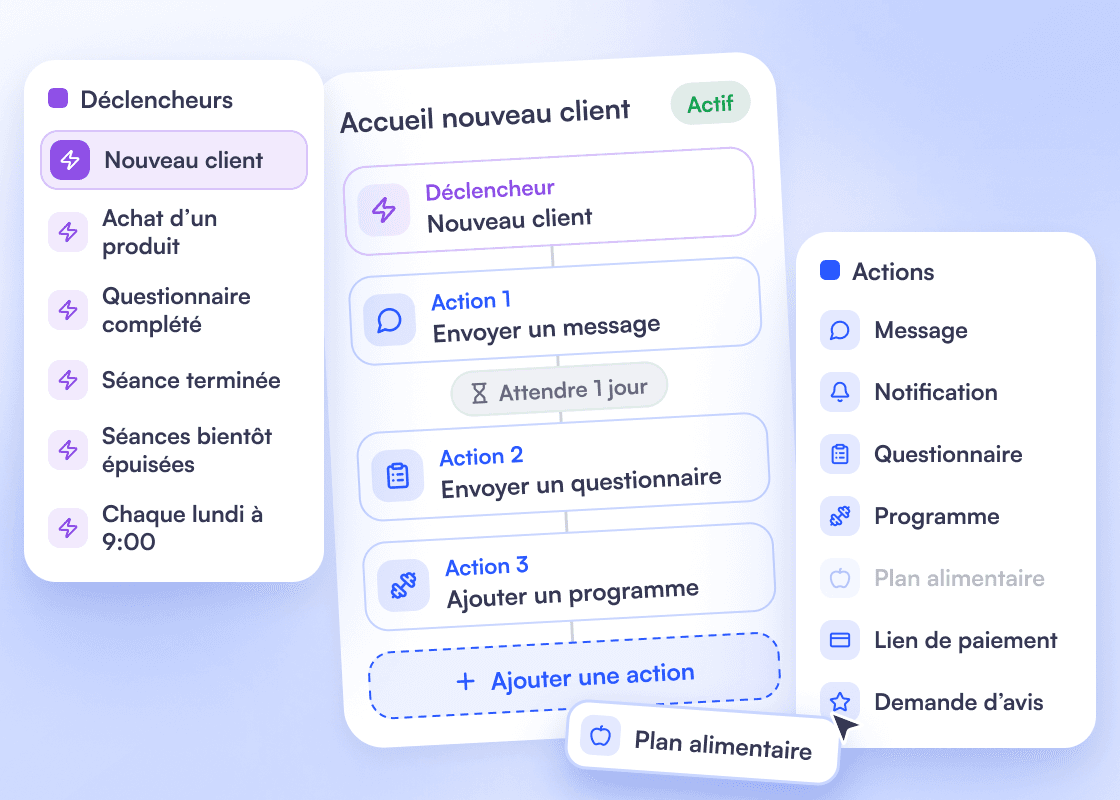
One trigger, then your actions
New client, purchase, questionnaire completed, workout done, sessions running low or a date that comes back every week: choose what starts the automation, then chain actions and waits. Message, notification, questionnaire, programme, meal plan, payment link, review request.
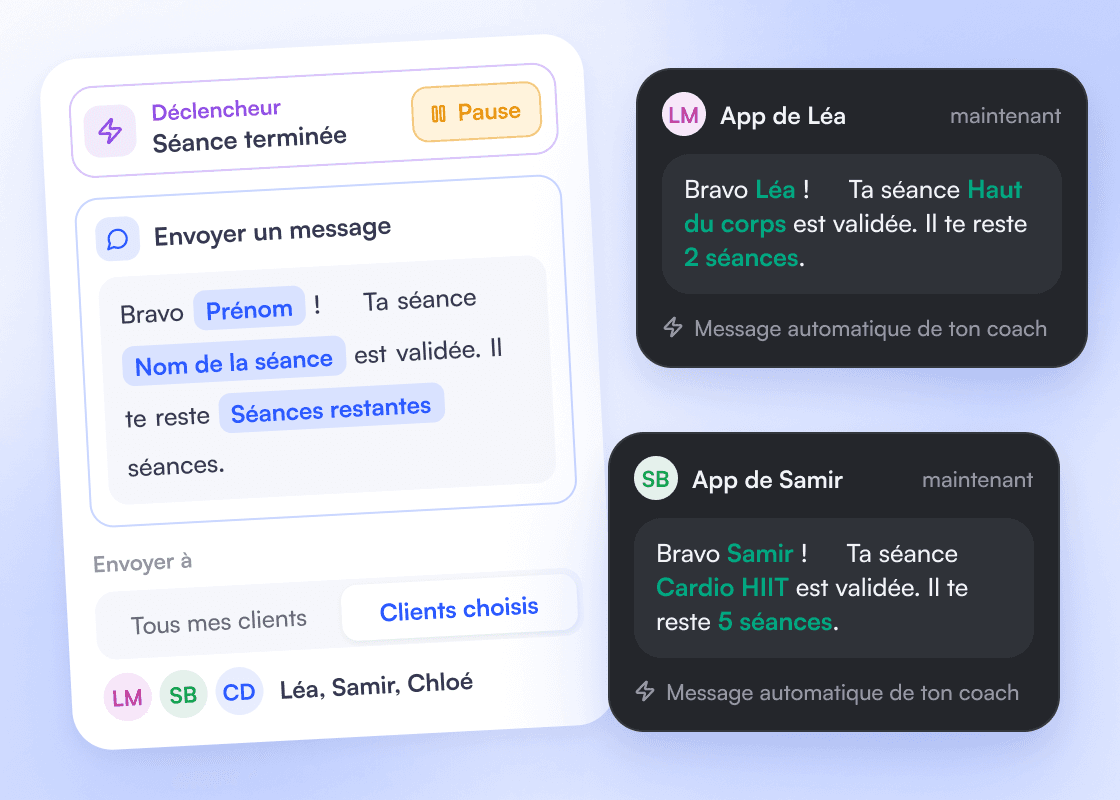
Personal for every client
The client’s first name, the session name or the number of sessions left fill in on their own in your messages. Send to all your clients or the ones you pick, and pause whenever you like.
Frequently asked questions
Another question? Support answers on WhatsApp in under 15 minutes.
No. In the editor, you drag a trigger, then your actions and waits, like blocks. Or start from one of the 9 Coachly templates and adapt it.
Save time
starting this week.
Start my 21 days21 days to try everything, unlimited clients. Then 50% off for 4 months, until 25 December 2026.
Not sure yet? Ask your AI.